Integrations & Setup
Training partners & community
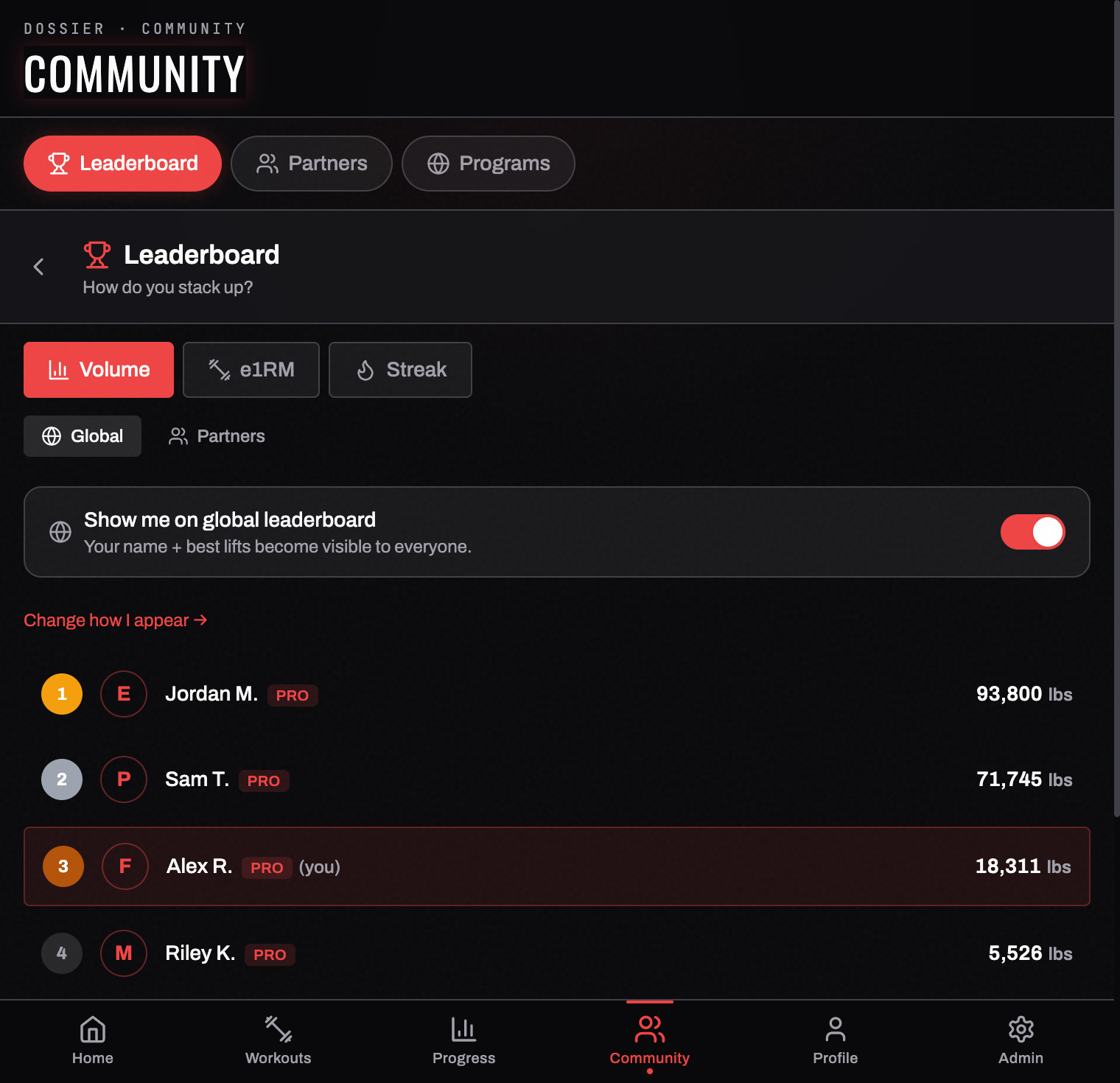
The Community tab has two sections along the top: LEADERBOARD and PARTNERS.
Leaderboards
The leaderboard ranks three different things, and you switch between them with the buttons at the top:
| Mode | Ranks you by |
|---|---|
| VOLUME | Total weight moved in the window the board names — it shows SINCE <DATE> · SAME WINDOW FOR EVERYONE, and that date is the start it actually counted from |
| E1RM | Your estimated 1-rep max on one chosen lift |
| STREAK | Consecutive days trained |
Underneath that, GLOBAL compares you with everyone who has opted in; PARTNERS compares you only with people you've connected with.
Your own row is outlined and marked (you), so you can find yourself without scrolling the whole board.
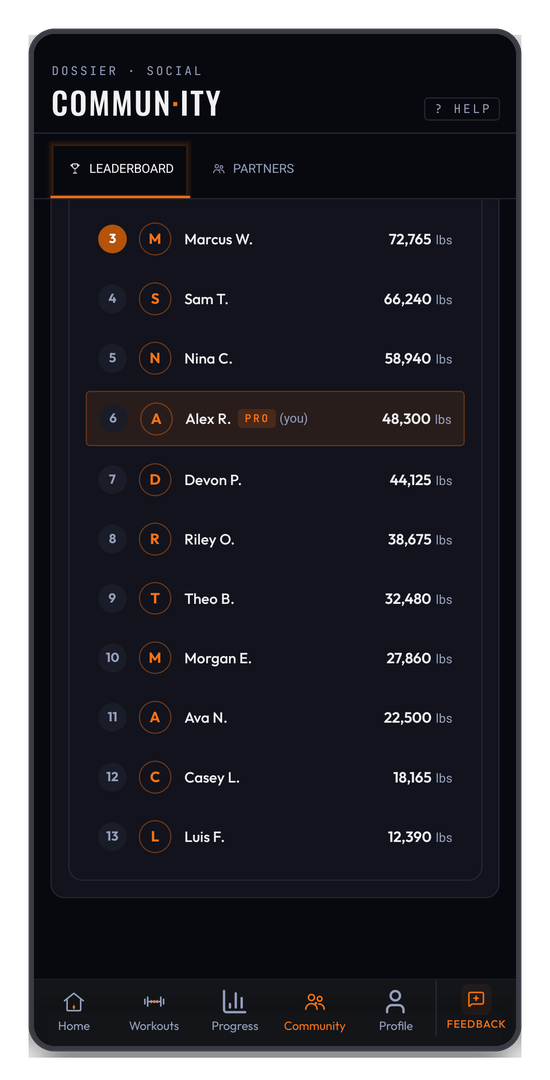
E1RM needs a lift chosen. Unlike volume and streak, the e1RM board is per-exercise — pick one from the selector and the ranking loads for that lift alone.
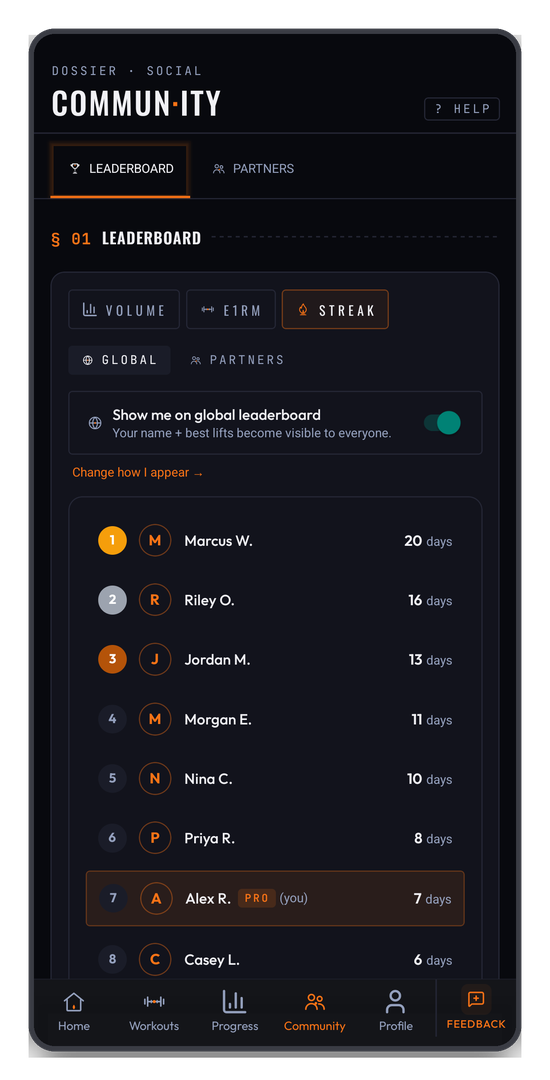
You are not on the leaderboard unless you ask to be
The global board is opt-in. The toggle sits at the top of the leaderboard — "Show me on global leaderboard — your name + best lifts become visible to everyone." Leave it off and you simply don't appear; nothing of yours is published.
Change how I appear → controls what strangers see when you do opt in:
- Full name — exactly as it's set on your profile
- First name + last initial — "Jordan M.", the default
- Handle — a generated pseudonym, so you can compete without publishing your name at all
Your email is never shown on a global row, whichever display mode you choose.
Training partners
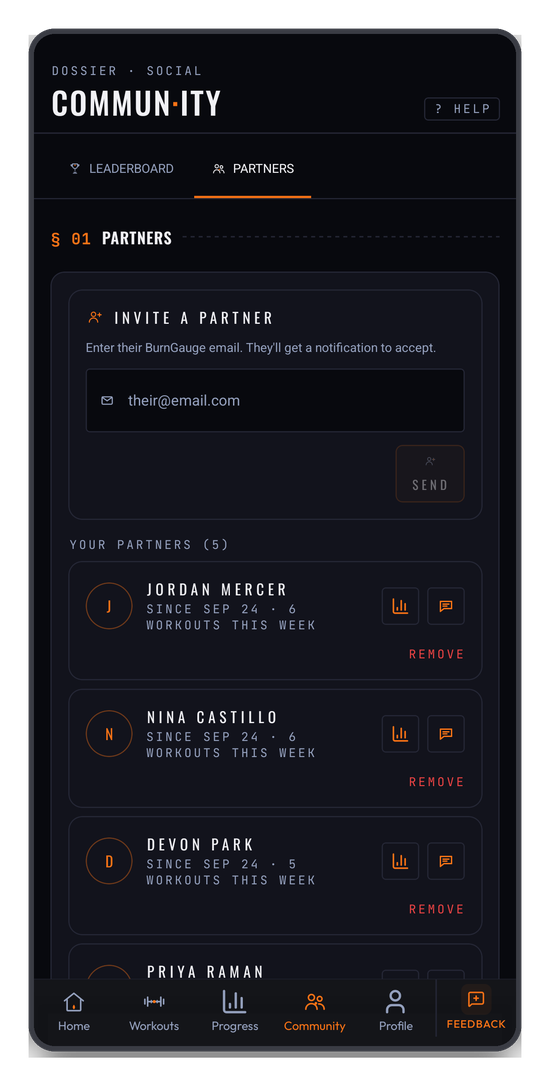
Add a partner by their BurnGauge email. They get a notification, and once they accept you're connected — the connection is mutual, so nobody appears in your partners list without agreeing to it.
Each connected partner's row shows when you connected and how many workouts they've logged this week. Your home screen's § 06 Partners section mirrors the same list, and partner-scope leaderboards compare you only against these people.
Sharing a workout or a program
- Share a workout — turn a finished session into an image card to post or send anywhere. It's a picture, not a link; see Weekly calendar.
- Share a program — share a program by link for other members to view or clone.
Program links are read-only, and they are visible to members: whoever you send one to needs a BurnGauge account to open it. If they don't have one yet, the link takes them to sign-up and then straight to the program you sent. Your private notes and account details aren't exposed.
Related: Programs · Achievements & streaks · Profile & preferences.
Turn your workouts into intelligence
Log your lifts, follow a program, and let BurnGauge surface what's working. Free to start — upgrade to Pro for the full analytics + AI coaching stack.