Account & Billing
Profile & preferences
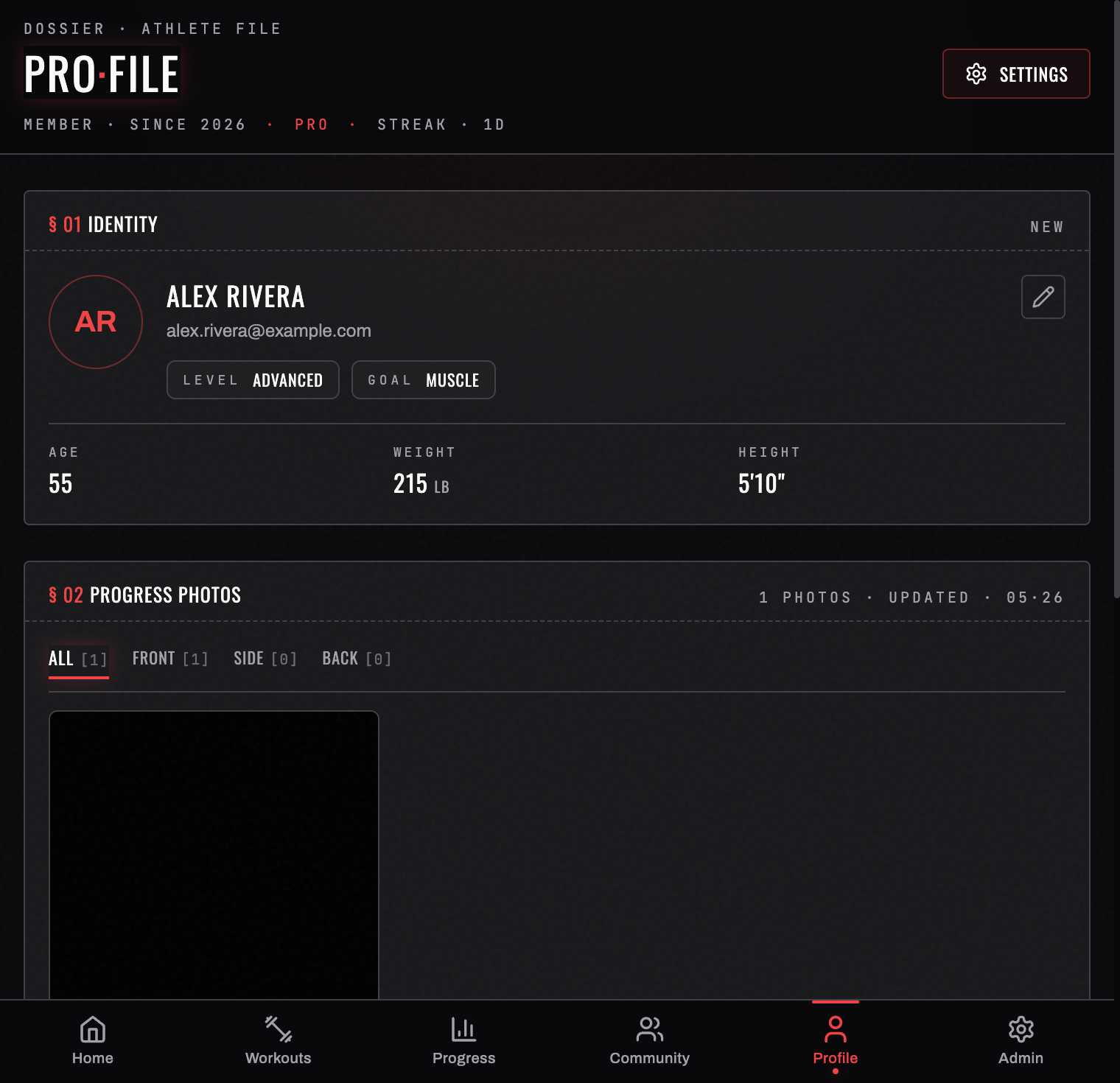
Your PRO·FILE tab is your athlete file. The header carries your name, your email, how long you've been a member, and your tier, and the body of the screen is split into numbered sections.
§ 01 Identity
Your avatar initials, name, and email, with AGE, WEIGHT, and HEIGHT underneath. Anything you haven't filled in shows as — rather than a guess.
Your weight here is the same number the daily check-in writes when you log a weigh-in, so you don't have to maintain it in two places.
§ 02 Progress photos
Before/after photos kept in your athlete file, private to you. This is a Pro section — on the free tier it shows what it would do and an upgrade route.
§ 03 Measurements
Body circumferences tracked over time. Add one from here or from Progress → BODY → ADD A MEASUREMENT; BurnGauge tracks chest, waist, hips, biceps, thighs, calves, neck, shoulders, and forearms, with left and right recorded separately where that matters.
Log two or more readings on a body part and it becomes eligible for the biggest movers card in Progress & insights.
§ 04 Membership
Your current tier and, on Pro, that it's active. See Subscription & Pro.
Preferences live in Settings
The SETTINGS button in the Profile header is the way into everything configurable:
- Weight unit — lb or kg; weights, the plate builder, and every trend follow your choice.
- Theme & skin — three themes with eleven skins between them, each with a dark and a light option.
- Notifications, workout preferences, data export, and security.
Full detail in The Settings menu.
Related: Subscription & Pro · Account & data.
Turn your workouts into intelligence
Log your lifts, follow a program, and let BurnGauge surface what's working. Free to start — upgrade to Pro for the full analytics + AI coaching stack.