Account & Billing
Export your data
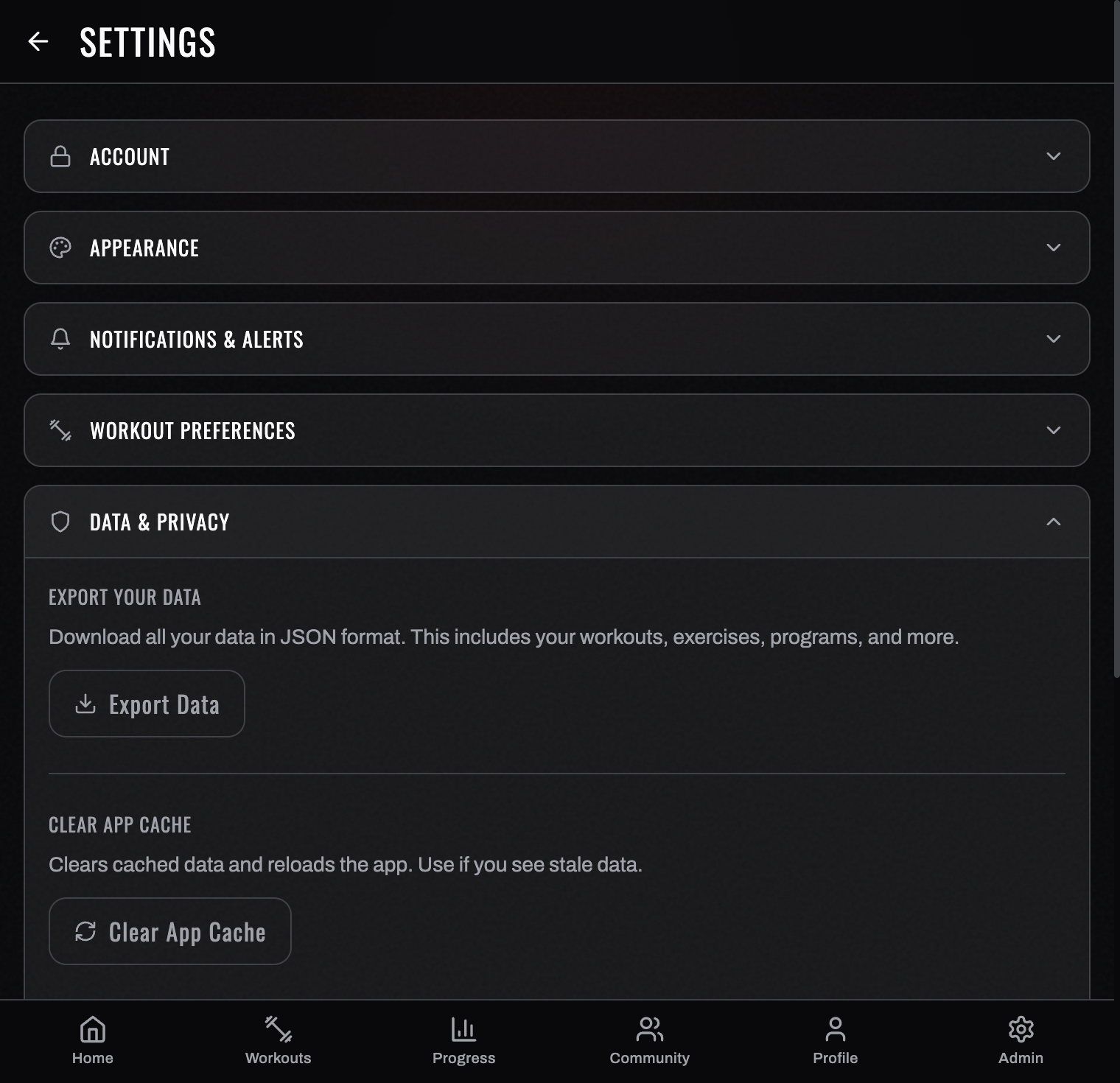
Your training data is yours. BurnGauge lets you export a copy of your account data from Settings.
What's included
Choose JSON for everything. The JSON export is your complete record: every table that holds data about you, including the parts that used to be missing.
- Training — workouts and the sets inside them, programs, exercises you've created, your pinned exercise swaps, favourites, barbells and volume landmarks.
- Body and health — wearable metrics (heart‑rate variability, resting heart rate, sleep, blood pressure, oxygen saturation, glucose, body fat), readiness scores, body measurements, bodyweight entries, and your daily check‑ins.
- How sessions felt — workout feedback (including sleep hours, bodyweight and the notes you typed) and per‑exercise feedback.
- AI — your coach conversations, recommendations and generation records.
- Social — messages with training partners (both sides), your partners, invitations you sent, and programs you shared or published.
- Progress photos — with a temporary download link for each image, so you get the pictures themselves and not just a filename.
- Your profile — including injuries, specific needs and alert preferences.
A few things are deliberately left out, and the export says so in a _skipped section with the reason for each: sign‑in tokens and device push credentials (these are live credentials, not your data), internal synchronisation records (identifiers only, no content), and references to you acting as an administrator rather than as yourself.
CSV is a convenience summary of your workouts only — four columns. If you want everything, take the JSON.
How to export
- Open Settings.
- Find Export data and start the export.
- Save the downloaded file somewhere safe.
Notes
- The export is a snapshot at the time you run it — re‑export whenever you want a fresh copy.
- Exporting does not change or delete anything in your account.
To remove your data entirely, see account deletion in Account & data.
- Deletion clears the live service straight away. Encrypted backup copies are a separate thing and expire on their own: every off‑platform copy is deleted 90 days after it was made. See the 90‑day window.
Turn your workouts into intelligence
Log your lifts, follow a program, and let BurnGauge surface what's working. Free to start — upgrade to Pro for the full analytics + AI coaching stack.