Training
The exercise library
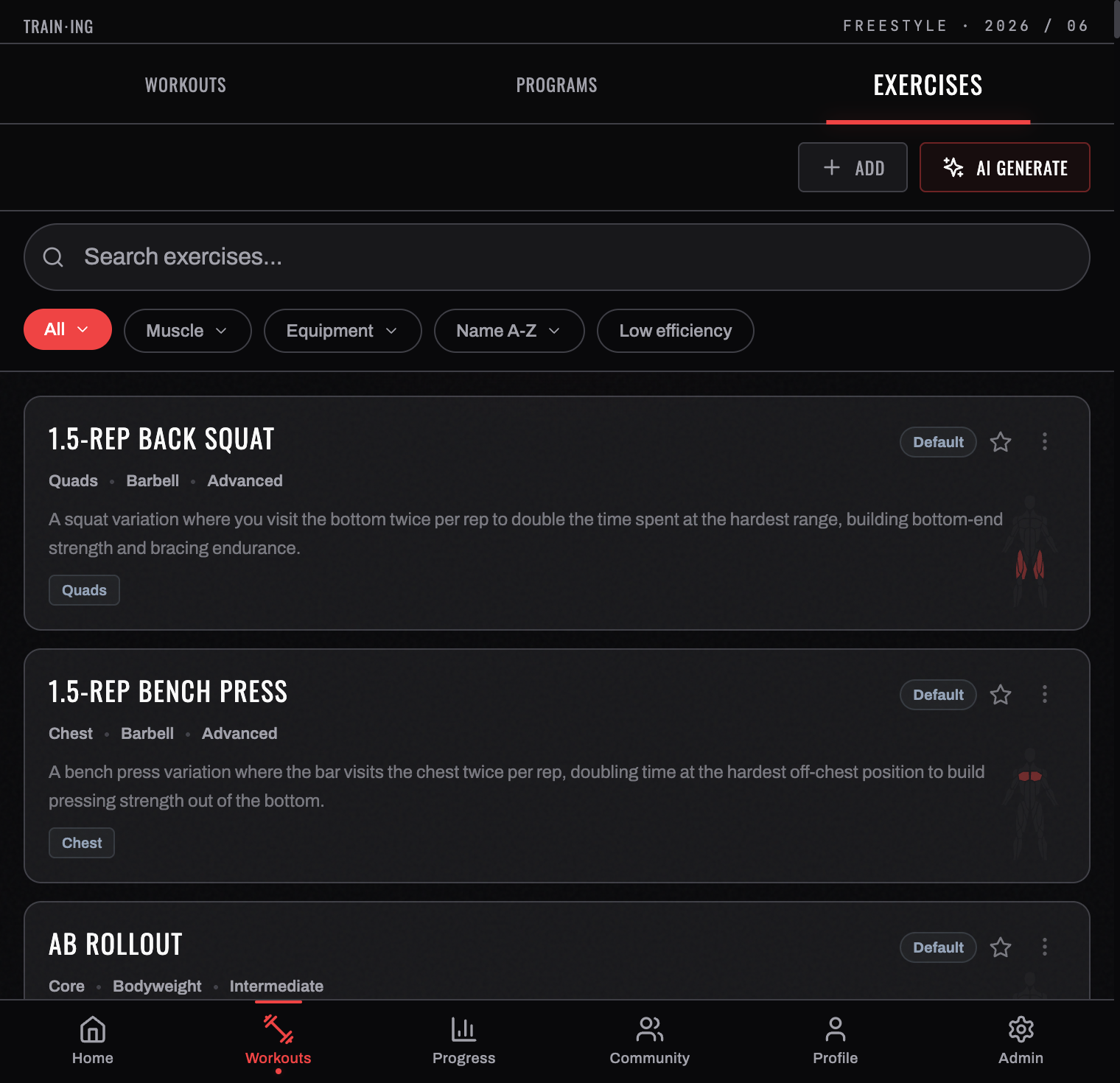
BurnGauge ships with a large exercise database, and you can extend it with your own.
Finding exercises
Open Workouts → EXERCISES (or ADD EXERCISE inside the logger). Each row carries the exercise's muscle group, equipment, and difficulty as chips, plus a one-line description of what the movement is for — so you can usually decide without opening it.
- Search by name — bench, squat, row.
- SORT: NAME A-Z reorders the list.
- FILTERS opens the full filter sheet.
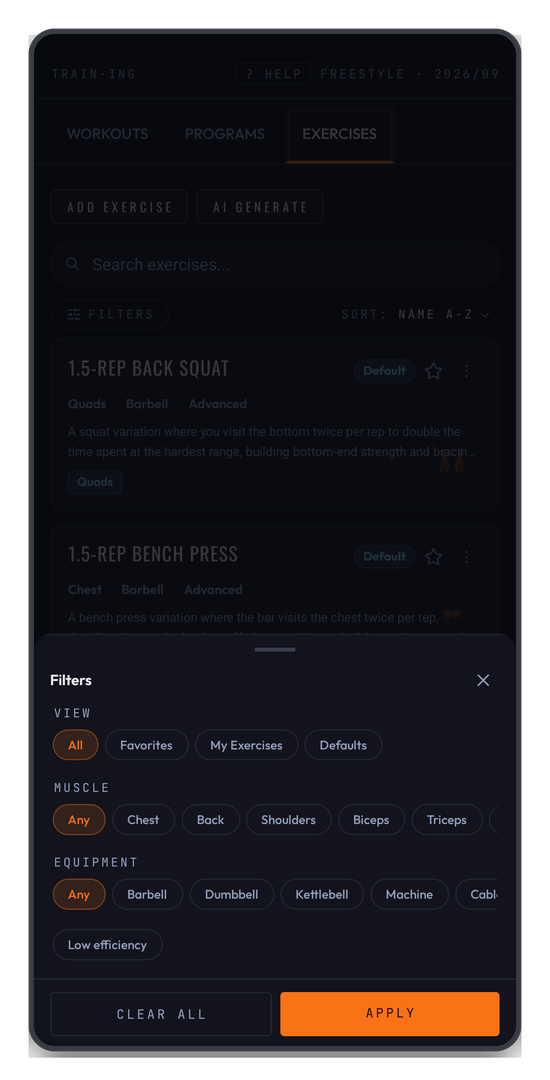
The sheet filters on three axes:
- VIEW — All, Favorites, My Exercises, or Defaults
- MUSCLE — Chest, Back, Shoulders, Biceps, Triceps, Legs, and the rest
- EQUIPMENT — Barbell, Dumbbell, Machine, Bodyweight, and so on
What's inside an exercise
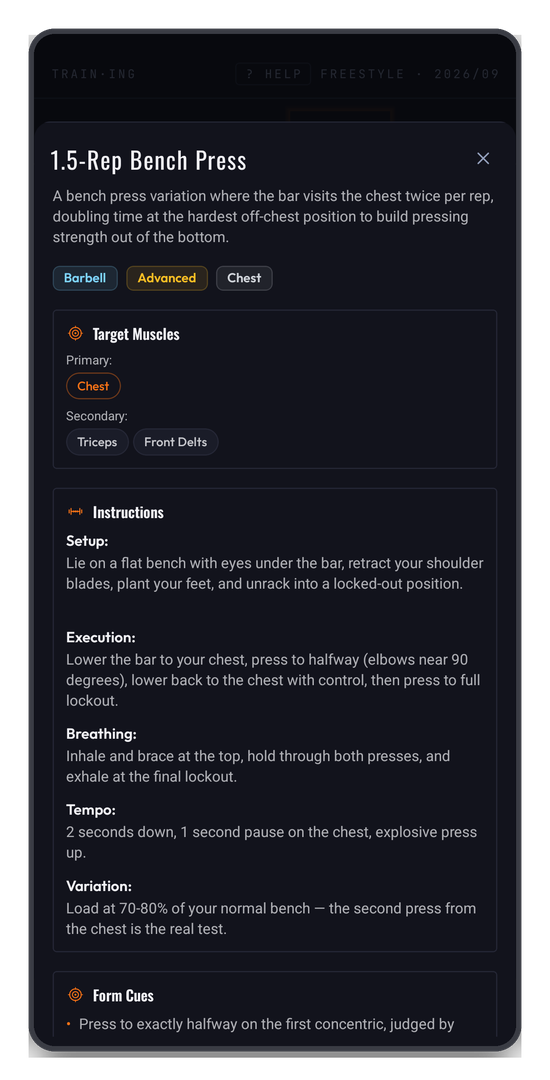
Tapping an exercise opens the full entry, and it's more than a name:
- Target muscles, split into primary and secondary, so you know what a movement actually trains rather than guessing from its name.
- Instructions, broken into Setup, Execution, Breathing, and Tempo — written as coaching cues, not a dictionary definition.
This is worth knowing about: most people treat the library as a picker and never open an entry, but the coaching notes are the difference between doing a 1.5-rep bench press and doing it for the reason it exists.
Custom exercises
Create your own with ADD EXERCISE when something isn't in the database — give it a name, muscle group, and equipment. Custom exercises behave like any other: log them, track PRs, and include them in programs. AI GENERATE will write the entry for you from a description.
Free accounts can create a limited number of custom exercises; Pro removes the cap — see Subscription & Pro.
Favourites
Favourite the exercises you use most so they surface first when building programs or adding to a session, and so VIEW → Favorites becomes a short list of the movements you actually train.
Archived exercises
An exercise that's been archived disappears from search and from the picker, but any workout that already used it keeps its history — your PRs and volume are never rewritten by a library change.
Related: Programs · The workout logger.
Turn your workouts into intelligence
Log your lifts, follow a program, and let BurnGauge surface what's working. Free to start — upgrade to Pro for the full analytics + AI coaching stack.