Account & Billing
The Settings menu
Open Settings from your Profile screen — tap the SETTINGS button in the Profile header. Everything is grouped into collapsible sections; tap a section to expand it.
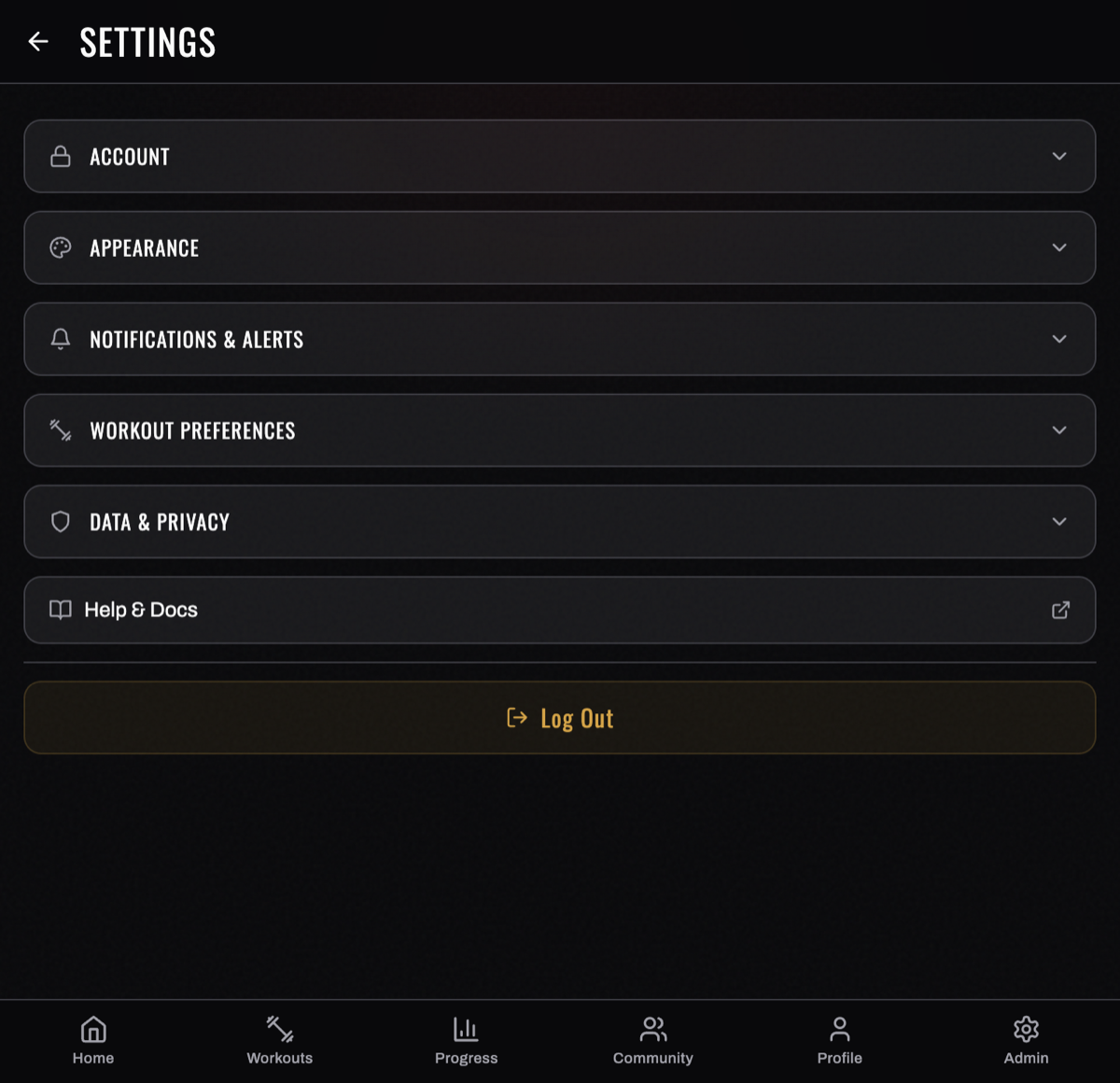
Account
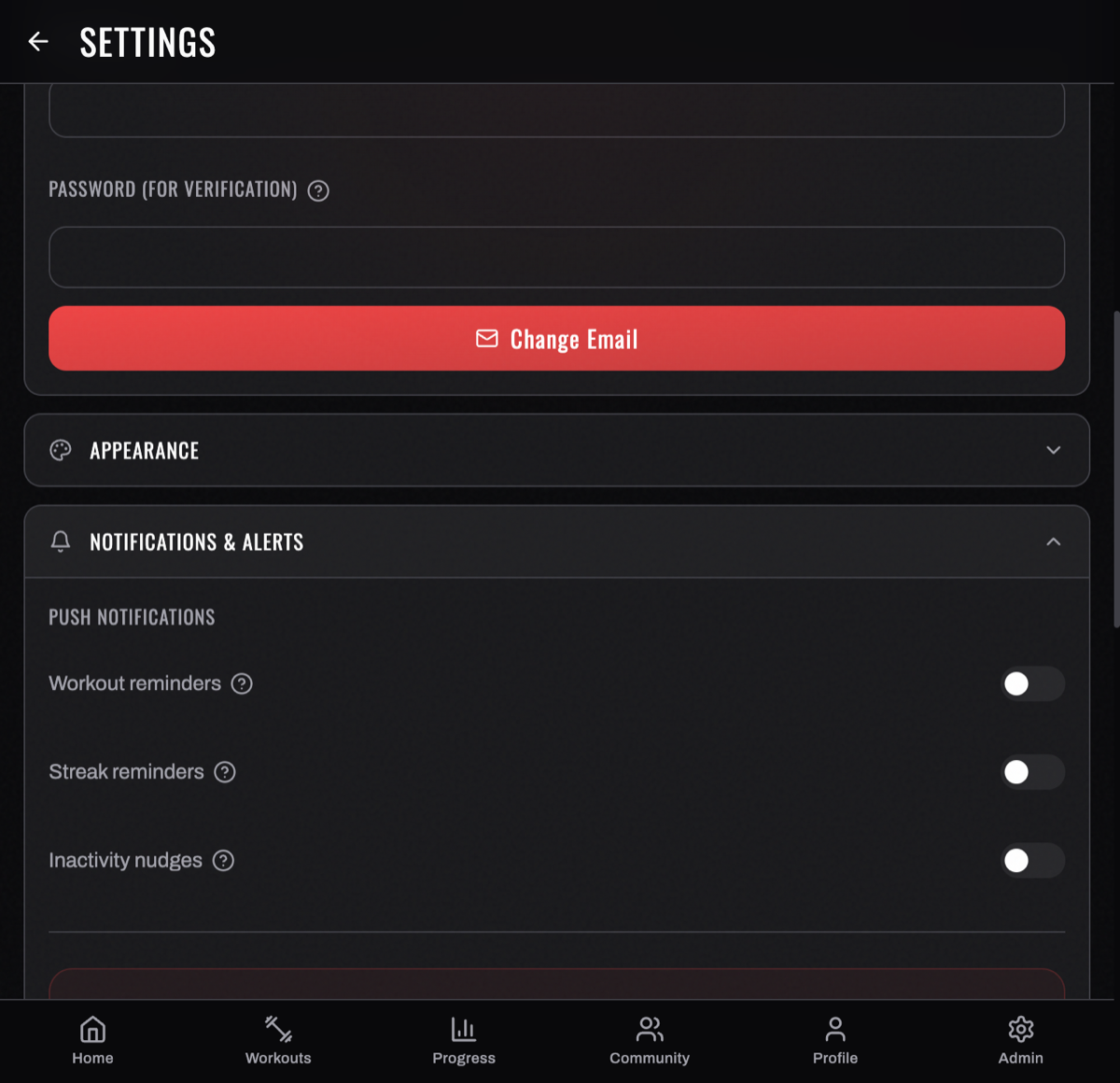
- Change Password — enter your current password, then a new one (8+ characters) and confirm.
- Change Email — set a new login email; you confirm with your password.
(If you signed in with Google, you don't have a BurnGauge password — manage access through Google.) More in Account & data.
Appearance
Pick a theme and a skin. A theme is a whole look — its own layout language and typography. A skin is a colorway of that theme; each swatch shows the accent color, a short description, and whether it's a dark or light mode. The whole app (including charts and the muscle map) restyles to match, and your active skin is marked with a checkmark.
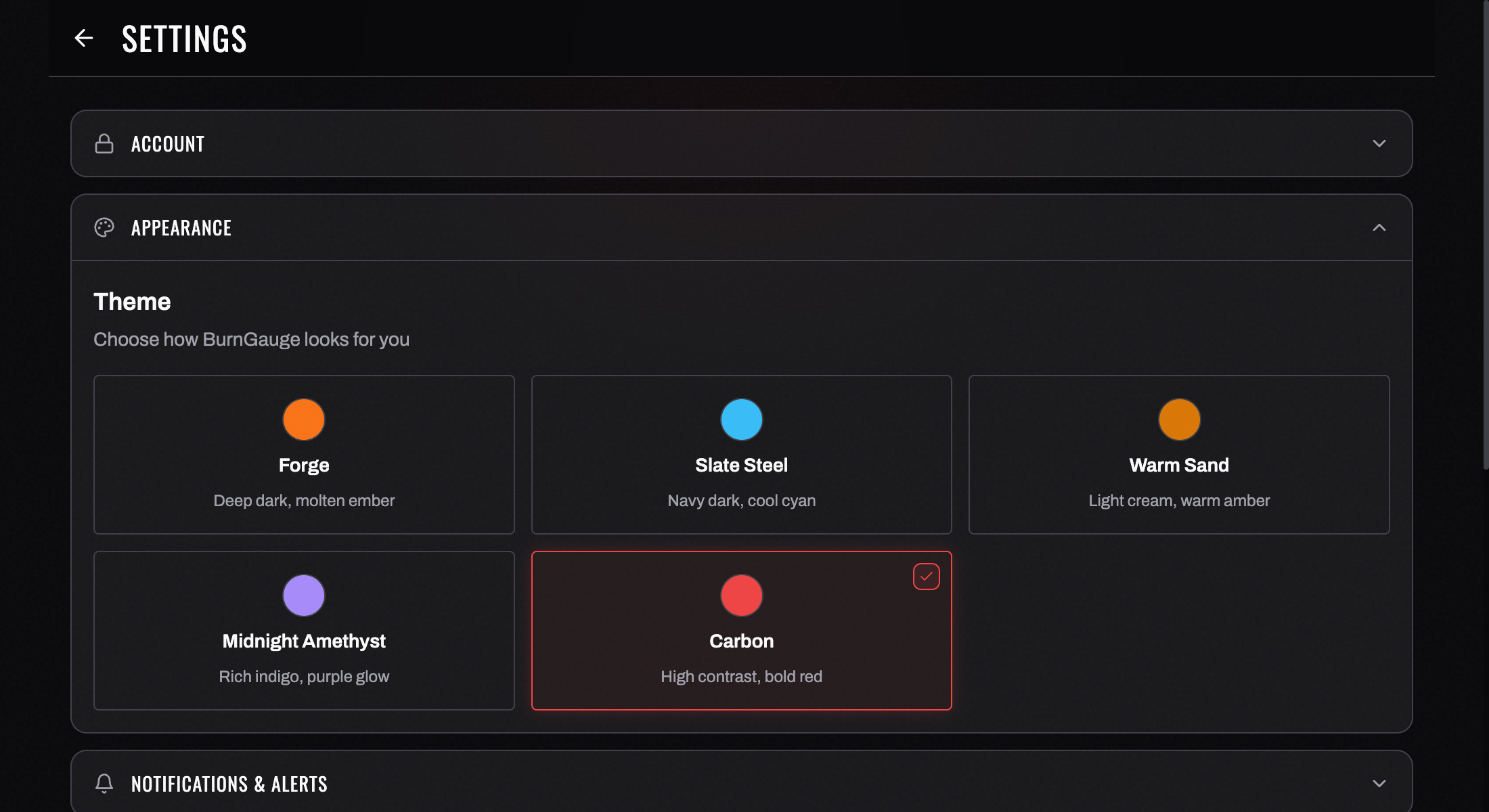
BurnGauge ships three themes with eleven skins — all free:
- Forge — the industrial dossier: Ember (molten orange, the default), Blueprint (light, warm paper), Plasma (electric blue), Quench (red-hot steel), and Amethyst (rich indigo + purple glow).
- Stadium — broadcast scoreboard energy: Volt (jumbotron green), Floodlight (light, day game), Hype (arena pink), and Title (championship gold).
- Chart — a clinical instrument, your training as a lab report: Paper (light, carbon ink) and Film (x-ray dark).
Every theme includes a dark and a light skin. If you used BurnGauge before the redesign, your old theme carried over automatically — Forge became Ember, Slate Steel became Plasma, Warm Sand became Blueprint, Midnight Amethyst became Amethyst, and Carbon became Quench. More in Profile & preferences.
Notifications & Alerts
Three groups of toggles:
- Push Notifications — Workout reminders, Streak reminders, Inactivity nudges.
- Smart Alerts — a master Show Smart Alerts plus per‑type toggles: Celebrations & PRs, Warnings & Recovery, Opportunities, Program Reminders, Patterns & Correlations. These are the alerts that rotate in your dashboard § 03.
- Email Preferences — Weekly Summary, Workout Reminders, Announcements.
Toggle exactly the categories you want. Full detail in Notifications & reminders.
Workout Preferences
- Show Warm‑Up Routine — display warm‑up suggestions when starting a workout.
- Include Core Exercises — automatically add core work (abs, planks) to your programs.
- Manage Wearable Sources — when more than one app writes the same metric into your health hub, pick which one BurnGauge listens to per metric. See Connect a wearable.
Data & Privacy
- Privacy Policy, Terms of Service, and Open-Source Licenses — the full text, in-app.
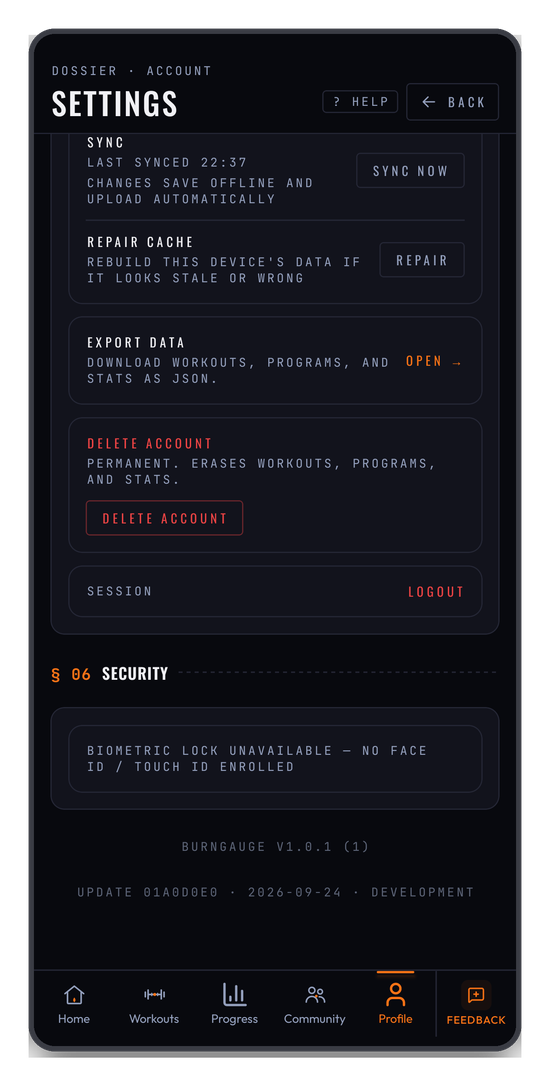
- Export your data — download your workouts, programs, and stats as JSON. See Export your data.
- Delete account — permanently erases your workouts, programs, and stats. It asks you to confirm, and it cannot be undone. See Account & data.
Sync — and what to do when something looks wrong
Two controls worth knowing about before you need them:
- SYNC NOW prints LAST SYNCED with a timestamp, so this is a way to check sync rather than something you normally have to press. If the timestamp updates, the connection is fine. On the website, changes are saved to the server as you make them — there is no offline queue here, so anything you change while your connection is down is not saved. The phone app is the one that keeps your training on the device and syncs it when you reconnect.
- REPAIR CACHE rebuilds this device's local copy of your data. Reach for it if the app looks stale or wrong — an exercise showing as a code instead of its name, a workout that won't disappear, counts that don't add up.
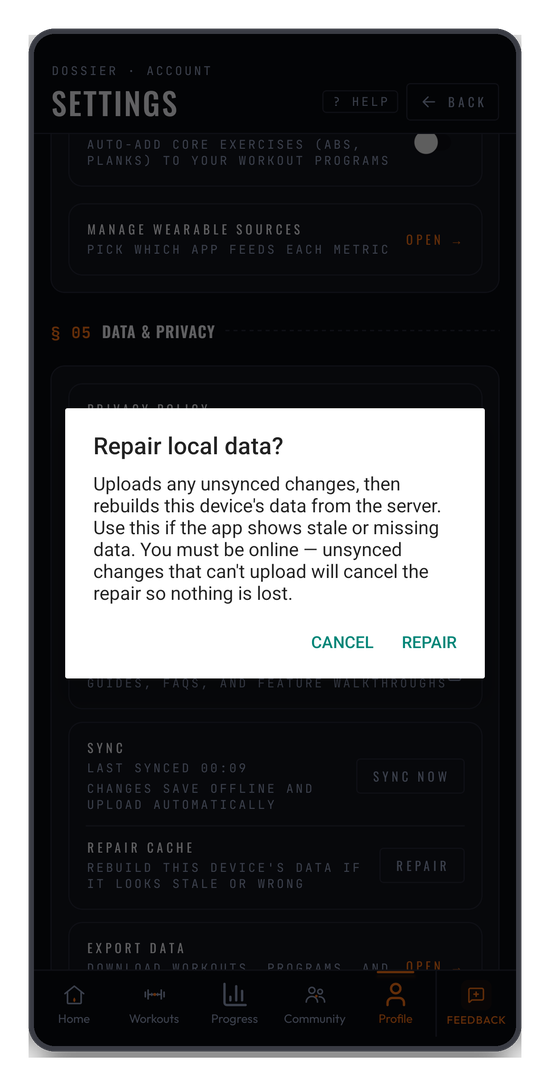
It asks before it acts, and the wording is worth reading: it uploads any unsynced changes first, then rebuilds from the server. You must be online, and if something unsynced can't upload the repair cancels itself so nothing is lost. It never deletes anything on the server.
§ 06 Security
Biometric lock protects the app with Face ID or a fingerprint. It's only offered when your phone actually has a biometric enrolled — otherwise the row reads BIOMETRIC LOCK UNAVAILABLE — NO FACE ID / TOUCH ID ENROLLED, which means "set one up on your phone first", not "your phone can't do this".
Help & Docs · Session
At the bottom: HELP & DOCS (opens this documentation), and LOGOUT under SESSION.
Logout is a two-tap confirm. The first tap arms it — the label changes to CONFIRM LOGOUT — and the second completes it. Tap once and wait too long and it disarms itself, which is deliberate: it's there so a mis-tap on a shared device doesn't sign you out mid-session.
The footer prints your app version and, on mobile, which update it's running — useful to quote if you ever report a problem.
Turn your workouts into intelligence
Log your lifts, follow a program, and let BurnGauge surface what's working. Free to start — upgrade to Pro for the full analytics + AI coaching stack.