Getting Started
Your home screen at a glance
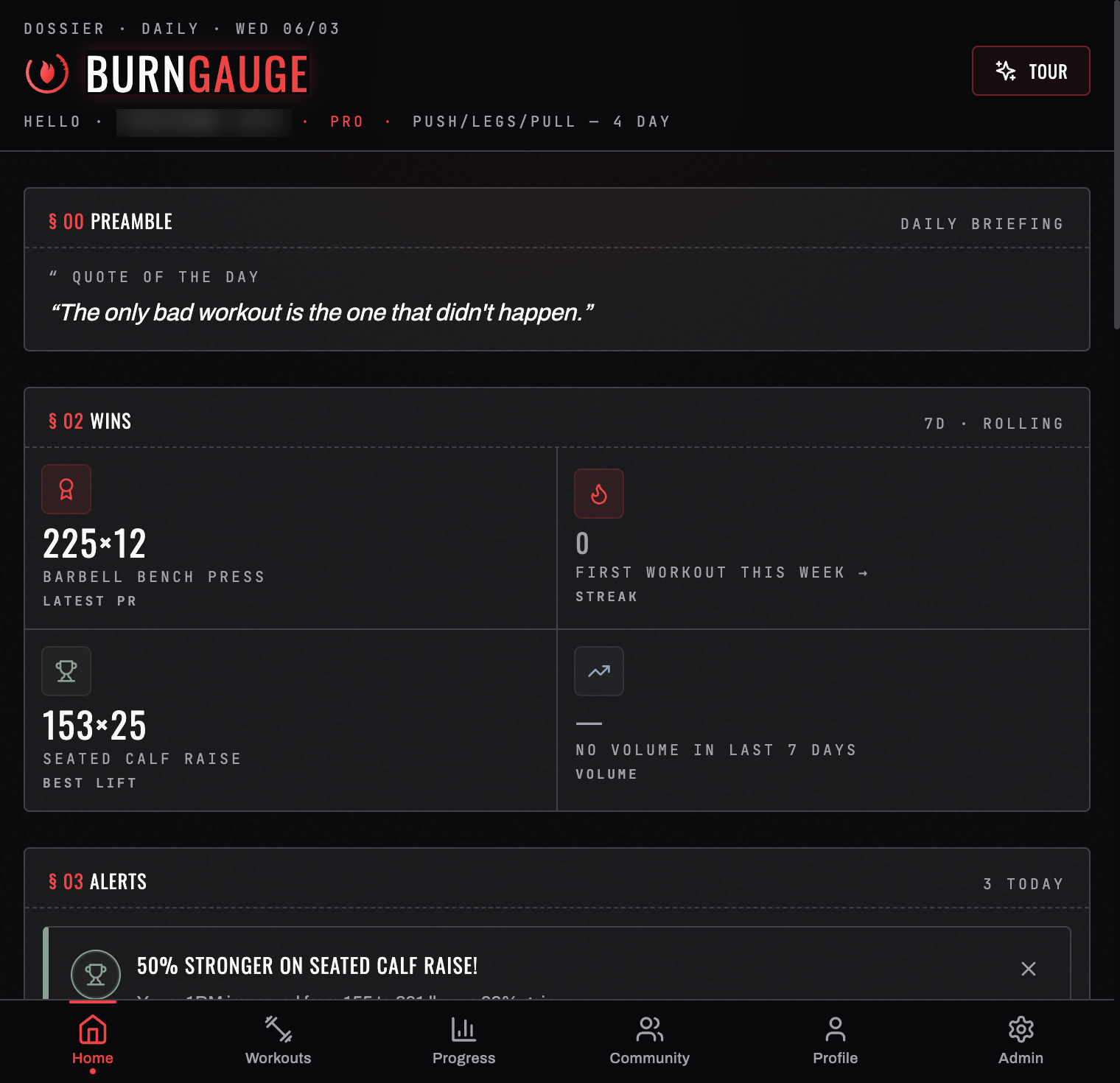
Home is your daily base. The header greets you by first name and prints your current state on one line — your tier, your streak, and the program you're running (or — NO PROGRAM — if you haven't picked one yet). Below that, the screen is organised into numbered sections you can scroll through.
§ 00 Preamble
The daily briefing: any announcements, plus a quote of the day.
§ 01 Readiness
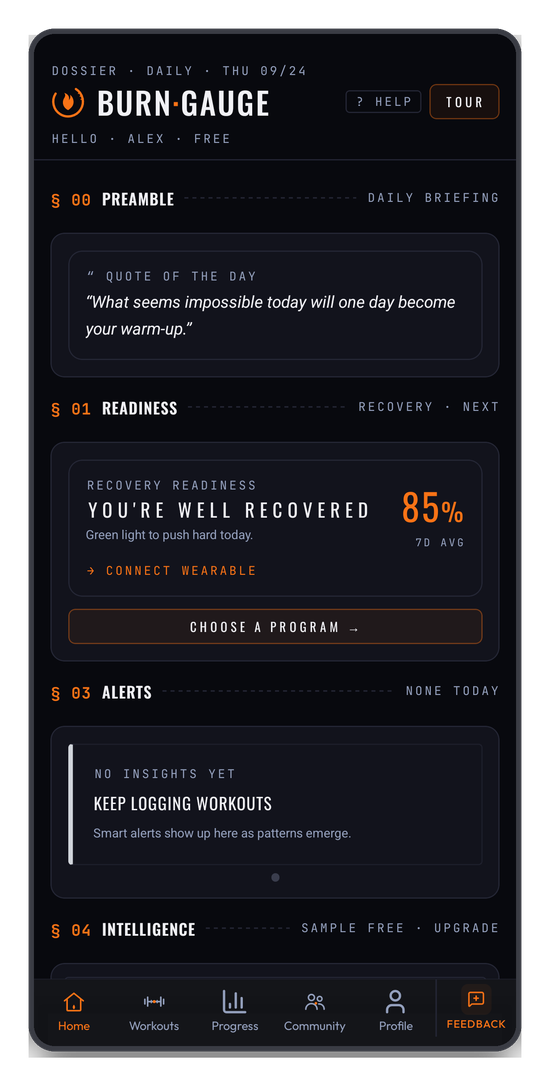
Your Recovery Readiness score, with a one-line verdict — "YOU'RE WELL RECOVERED — green light to push hard today" — and a line underneath saying where it came from.
Readiness comes from one of two places:
- A wearable, if you've connected one — computed from real sleep, HRV, and resting heart rate. See Connect a wearable.
- Your daily check-in, if you haven't — how you slept, your stress, energy, and mood. See Daily check-in.
Today's score is always about last night — never an older night. The line under the score says where it came from, for example LAST NIGHT · FROM FITBIT, and tapping the score opens the breakdown, where every row is dated.
- No reading for last night (you didn't wear the watch, or it hasn't synced yet): the card reads NO WEARABLE DATA FOR LAST NIGHT, shows
—%, and puts your previous score on a separate Last reading line with its day — "Last reading: Sun Sep 27 · 67% · Fitbit". Log a check-in to score today, or open your wearable's app so it syncs. - You logged a check-in today: that sets today's score straight away, captioned FROM TODAY'S CHECK-IN.
- Your device recorded sleep but nothing else (no heart-rate variability or resting heart rate): the card reads SLEEP ONLY LAST NIGHT and shows the hours you were actually asleep, but no percentage — sleep on its own can't tell how recovered you are.
- A new device (or one you haven't worn for a while): each device is compared only with its own history, so for its first few nights the card reads BUILDING YOUR BASELINE with last night's sleep instead of a score.
- BurnGauge couldn't read your health data (for example, the Sleep permission was turned off): the card reads COULDN'T READ YOUR WEARABLE DATA. Nothing already synced is lost — turn the permission back on and it recovers.
Without a wearable, today's score is today's check-in — never an average of the week. On a day you haven't checked in yet, the card reads NO CHECK-IN TODAY and shows your last one on its own line with its day, for example "Last check-in: Thu Sep 24 · 72%".
With neither a wearable nor a check-in, this section reads NO RECENT DATA and offers you both routes. The row underneath is your next action: CHOOSE A PROGRAM → before you have one, or START WORKOUT → with the next scheduled day once you do.
§ 02 Wins
Your rolling 7-day highlights: latest PR, best lift, weekly volume, and your streak.
§ 03 Alerts
Smart, rotating notifications — milestones hit, opportunities to push, and warnings such as recovery running low. Dismiss any alert you've seen. With no history yet it reads NONE TODAY.
§ 04 Intelligence
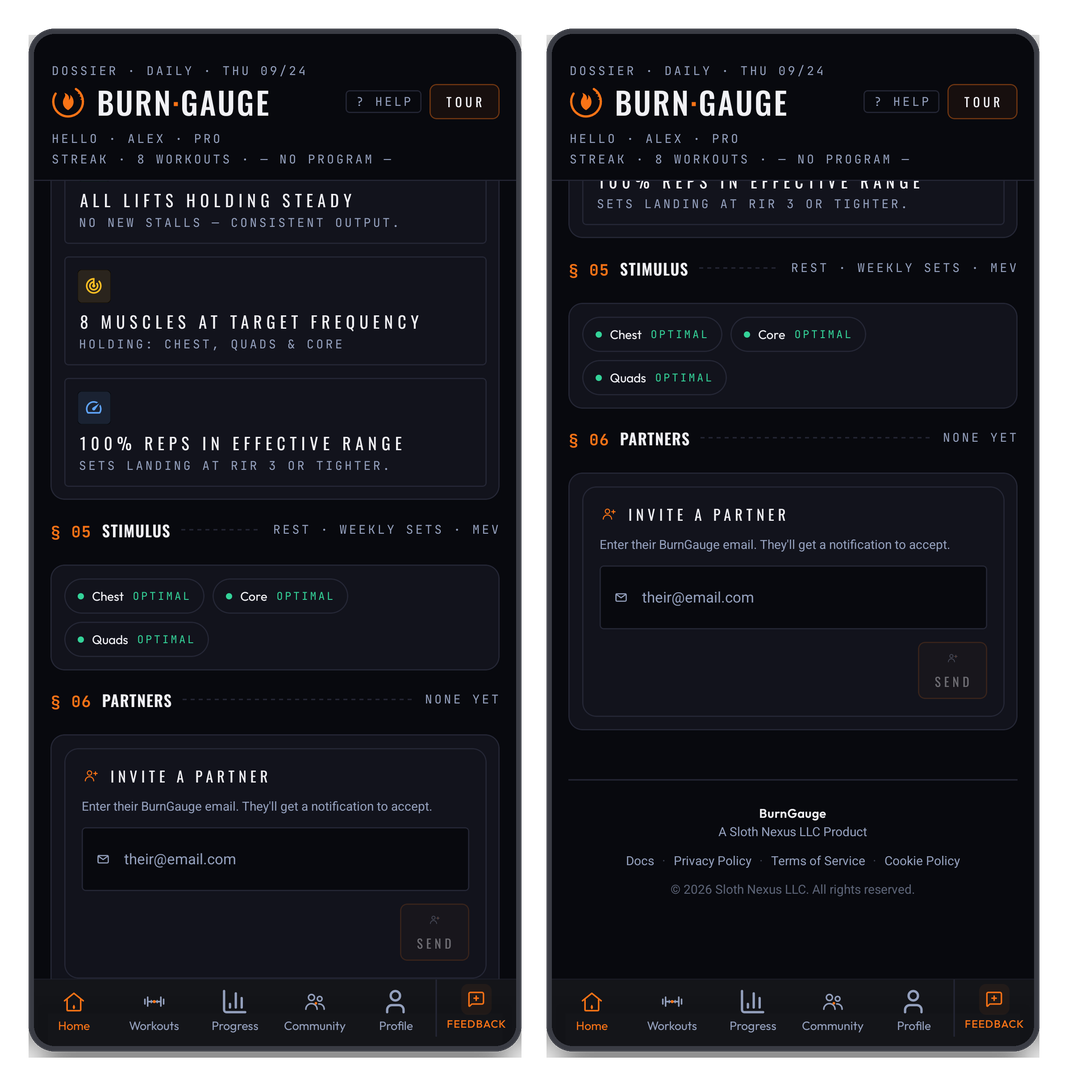
A snapshot of your training analysis, written as plain verdicts rather than charts — "ALL LIFTS HOLDING STEADY — no new stalls", "8 MUSCLES AT TARGET FREQUENCY", "100% SETS IN THE HYPERTROPHY ZONE". Tap through for the full Progress & insights.
This section needs a few weeks of consistent logging before it has anything to say; until then it tells you so rather than showing an empty chart.
§ 05 Stimulus
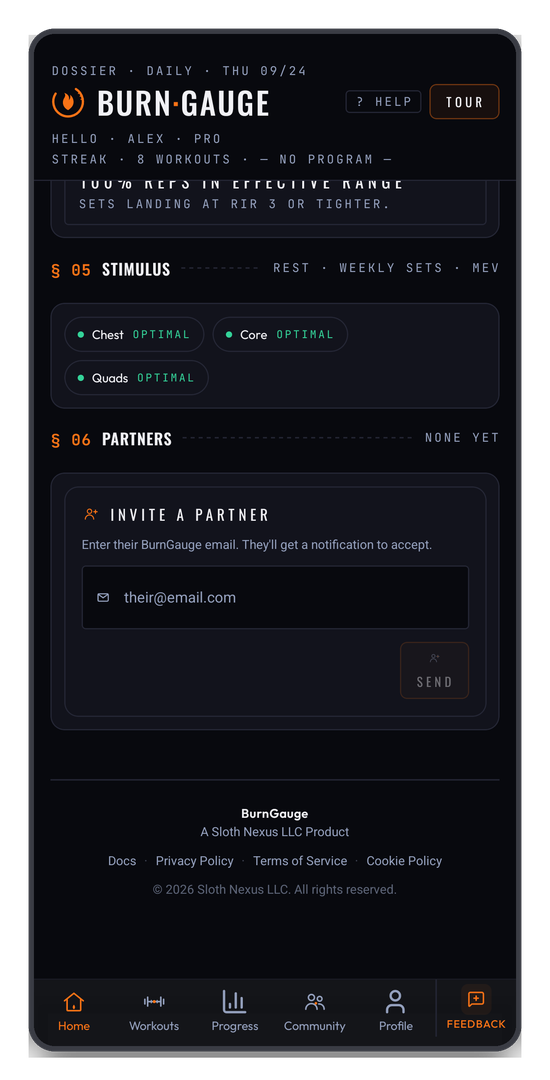
Per-muscle weekly set counts against your minimum effective volume (MEV), and how long each muscle has rested — so you can see what's recovered and ready. Each muscle is tagged OPTIMAL, BELOW MEV, or ABOVE MRV.
§ 06 Partners
Your training partners, or an invite box to add one. See Training partners & community.
From here, head to Programs to pick a plan, or log your first workout.
Turn your workouts into intelligence
Log your lifts, follow a program, and let BurnGauge surface what's working. Free to start — upgrade to Pro for the full analytics + AI coaching stack.