Getting Started
Log your first workout
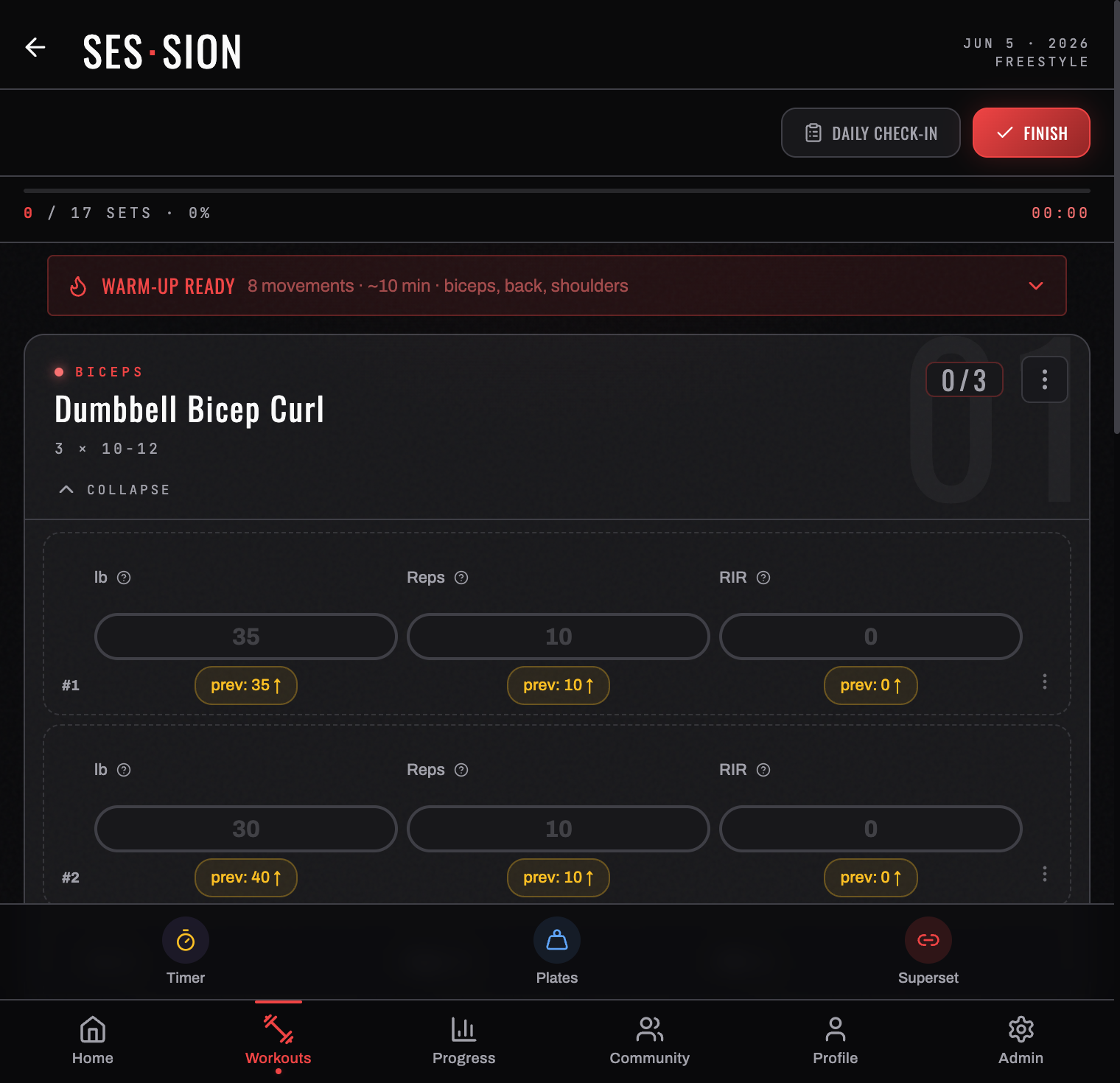
You don't need a program to start — you can log a freestyle session right away.
Start a session
Go to Workouts → WORKOUTS and tap LOG FREESTYLE on today's card. You land in the SES·SION screen — the real-time workout logger.
If you already have a program running, your home screen offers START WORKOUT → with the next scheduled day instead, and the session arrives pre-filled.
Fill the session
An empty session gives you three routes, and the middle one is the one most people miss:
| ADD EXERCISE | Pick movements one at a time from the exercise library |
| PICK TODAY'S PROGRAM | Pull in a program day's exercises without activating the whole program |
| LOAD FROM PREVIOUS WORKOUT | Repeat a session you've already done — the fastest way to run the same lifts again |
Log your sets
Tap an exercise's EXPAND TO LOG to open its sets. For each working set enter your weight and reps — and RIR, reps in reserve, if you track effort. Tap the checkmark to log it.
It saves immediately. There is no save button, and the set counter at the top (0 / 20 SETS · 0%) moves as you go.
The session toolbar
Four tools sit along the bottom of the logger for the whole session:
- Timer — a rest timer between sets
- Plates — a plate builder that tells you what to load on the bar
- Superset — group exercises to alternate between them
- Help — the in-app guidance for this screen
Check in first, if you like
A TODAY'S CHECK-IN card sits above your exercises — twenty seconds on sleep, stress, energy, and mood that turns your readiness score on. DISMISS hides it for this session. See Daily check-in.
Finish
When you're done, tap FINISH. Your session feeds straight into Progress & insights — volume, e1RM, and PRs update immediately, and any milestone you crossed appears in your trophy case.
Want structure? Set up a repeatable plan in Programs.
Turn your workouts into intelligence
Log your lifts, follow a program, and let BurnGauge surface what's working. Free to start — upgrade to Pro for the full analytics + AI coaching stack.